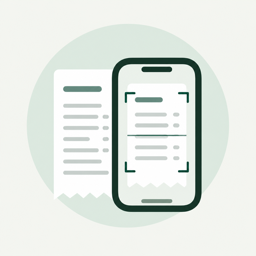
A photo for a short receipt. For a long one, record a video moving down it, and SumSnap stitches it into one. Or pick one from Photos.
0at m1lk 1L1.29Oat milk 1L1.29
S0urdough brcad2.10Sourdough bread2.10
T0TAI19.15TOTAL19.15
Clean
AI fixes recognition slips and finds the total printed on the receipt. Numbers stay exactly as printed, and the original is kept.
Food67%
Medicines23%
Household10%
Count
Purchases are sorted into fourteen categories, item by item, so a mixed receipt is split the way you actually spent it.
Ask your receipts
Questions in your words. Answers in numbers.
How much went on groceries last month? What did that pharmacy run cost? The assistant answers from your saved receipts, using the dates and totals you approved.
AI AnalysisBased on 38 receipts
How much did I spend on groceries in October?
212.40 across 14 receipts — about 48 a week. Most of it at Green Market.
And on coffee?
27.96: four bags of coffee beans, 6.99 each.
Ask about your receipts
Private by design
Your receipts stay yours.
No account, no ads. Scanning happens on your iPhone, and only the text that needs AI ever leaves it.
Photos stay on your iPhoneText is recognized on the device. Pictures and videos of your receipts never leave it.
Only text, only to helpReceipt text is sent to tidy it up and to answer you. Our server doesn’t keep it.
No accountNothing to sign up for. Your library lives in the app, on your iPhone.
No ads, no sellingNo ads in the app, and we never sell your data.